Setting up Afri Invoice takes only a few minutes create your account, add your business details, and you’re ready to start invoicing immediately. The system is built to be effortless, so Nigerian businesses can go from sign up to sending their first compliant invoice without any technical steps or delays
Step 1 — Your Personal Details
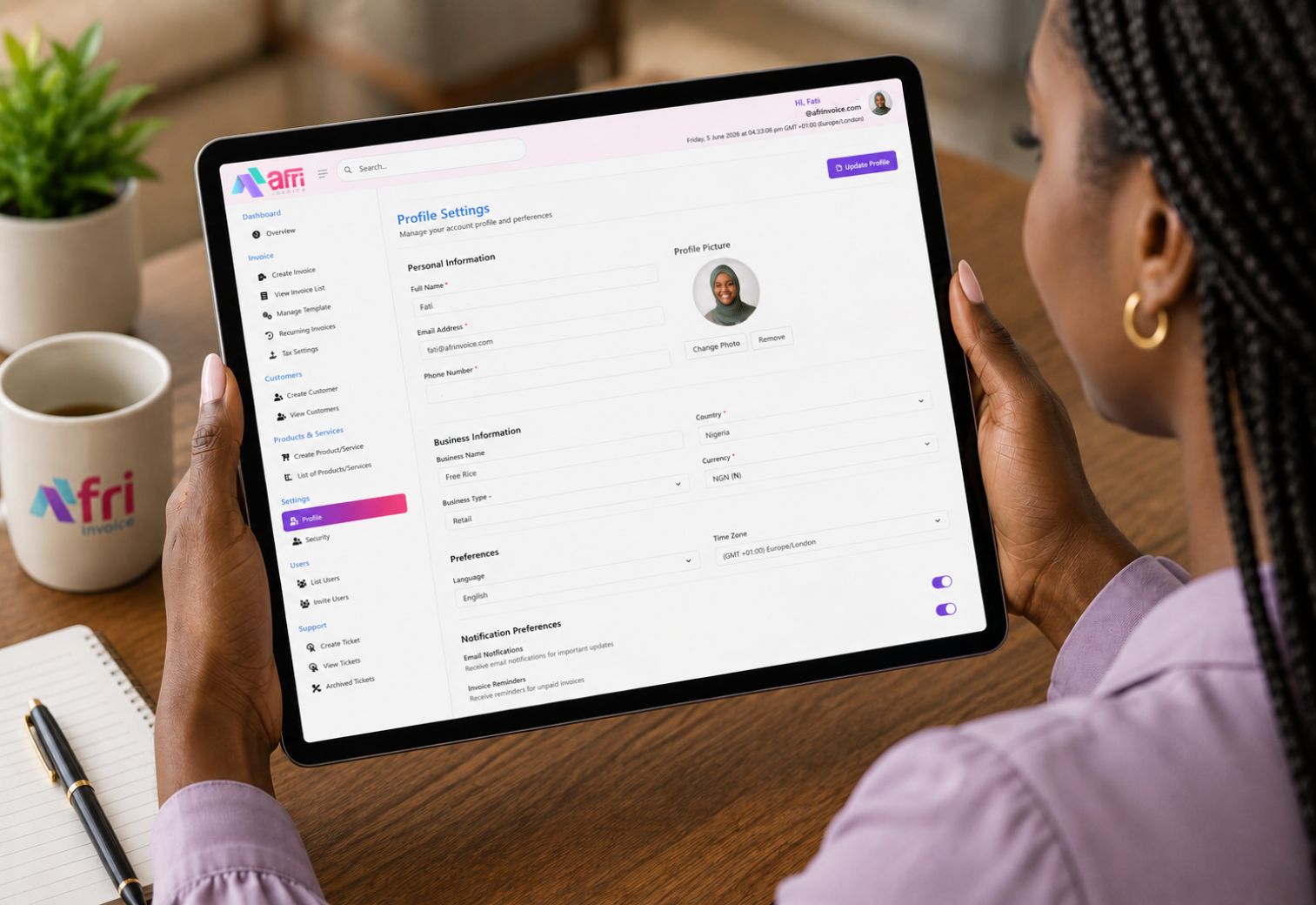
Your personal account is the secure identity layer that governs everything you do in Afri Invoice.
Step 2 — Your Business Identity
Each business profile in Afri Invoice is a self-contained entity with its own invoices, customers, currency, branding, and reporting.
Step 3 — Tax and Compliance Configuration
Afri Invoice pre-loads standard Nigerian tax rates. You remain in full control to adjust, add, or override any rate at any time.
Step 4 — Notifications and Preferences
Security and Data Protection
Your profile information is encrypted in transit and at rest. Afri Invoice is ISO/IEC 27001:2022 certified and fully compliant with the Nigeria Data Protection Act 2023. Your business data is never shared with third parties without your explicit consent.
Frequently Asked Questions
Can I add multiple businesses under one account?
Yes. Your account supports multiple business profiles: one on the Free plan, up to five on Standard, and up to ten on Premium. Each business has its own invoices, customers, branding, and currency.
Do I need my RC or TIN to sign up?
You can begin setup without them, but NRS-compliant invoicing requires your Tax Identification Number to be on file before your first invoice is submitted. You can add it at any point during setup.
How long does profile setup take?
Most users complete their full profile, business details, logo upload, and tax configuration in under three minutes.
No credit card required. Set up in under 3 minutes.