

Automated Invoice Reminders ensure your customers never “forget” to pay by sending smart, timely follow ups until the invoice is settled. It removes the stress of chasing payments manually, helping your business get paid faster with zero effort.
How Automated Reminders Work
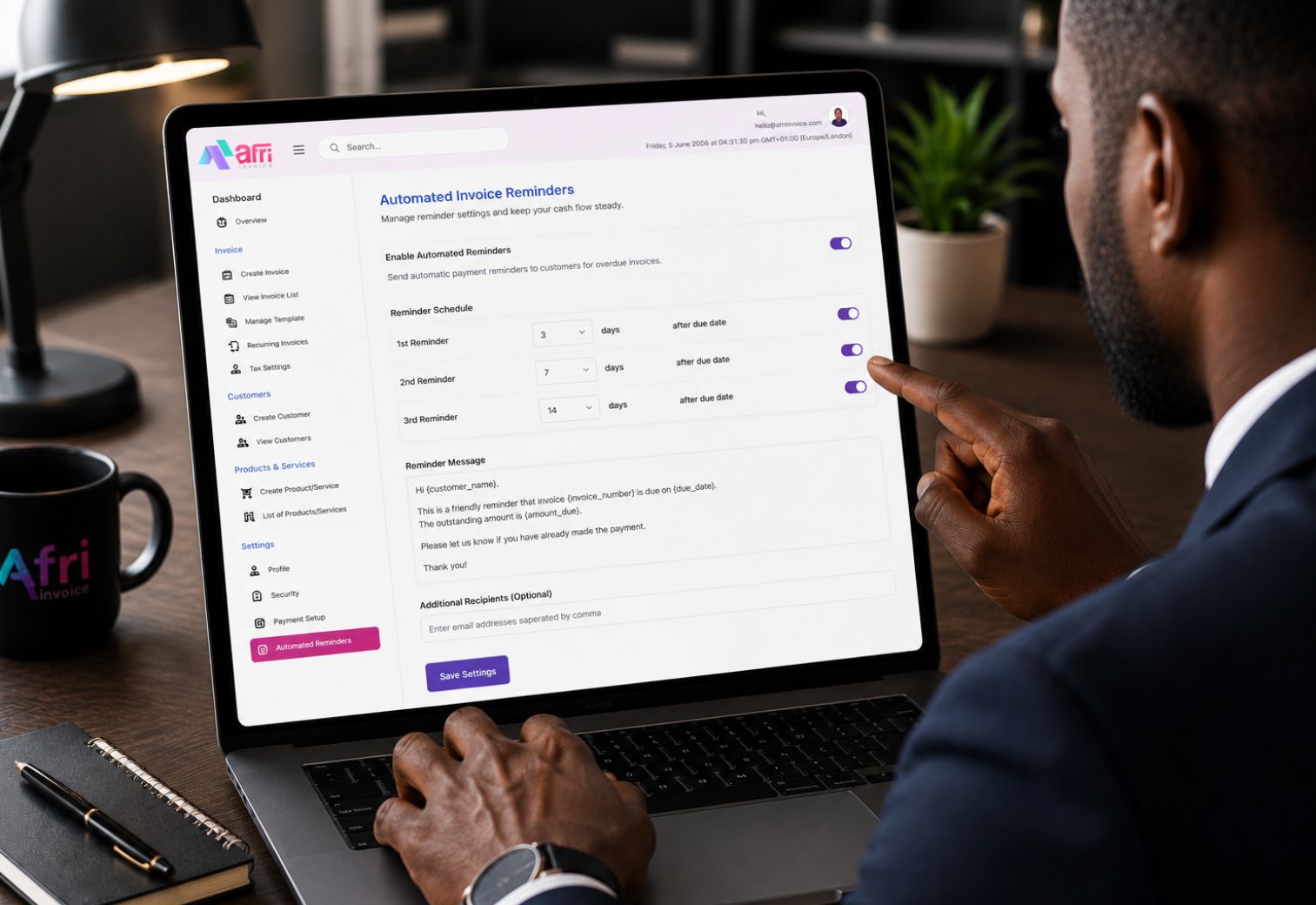
Configurable Reminder Schedule
Simple to ConfigureSetup takes seconds. You choose how often you want reminders to go out, that is the only configuration required. Once set, the system handles everything else automatically.
The Business Impact
Businesses that automate payment reminders consistently reduce their average days sales outstanding. A well-timed, professional reminder prompts action faster than silence. Automating this process also removes the emotional burden of manual chasing, one of the most commonly reported stressors for Nigerian SME owners managing client relationships alongside daily operations.
Frequently Asked Questions
Can I disable reminders for a specific invoice?
Yes. You can turn off automated reminders on any individual invoice at the time of creation or at any point before a reminder is scheduled to send.
What happens if a client partially pays?
The reminder schedule updates to reflect the remaining balance. Subsequent reminders reference the outstanding amount, not the original invoice total.
No credit card required. Set up in under 3 minutes.