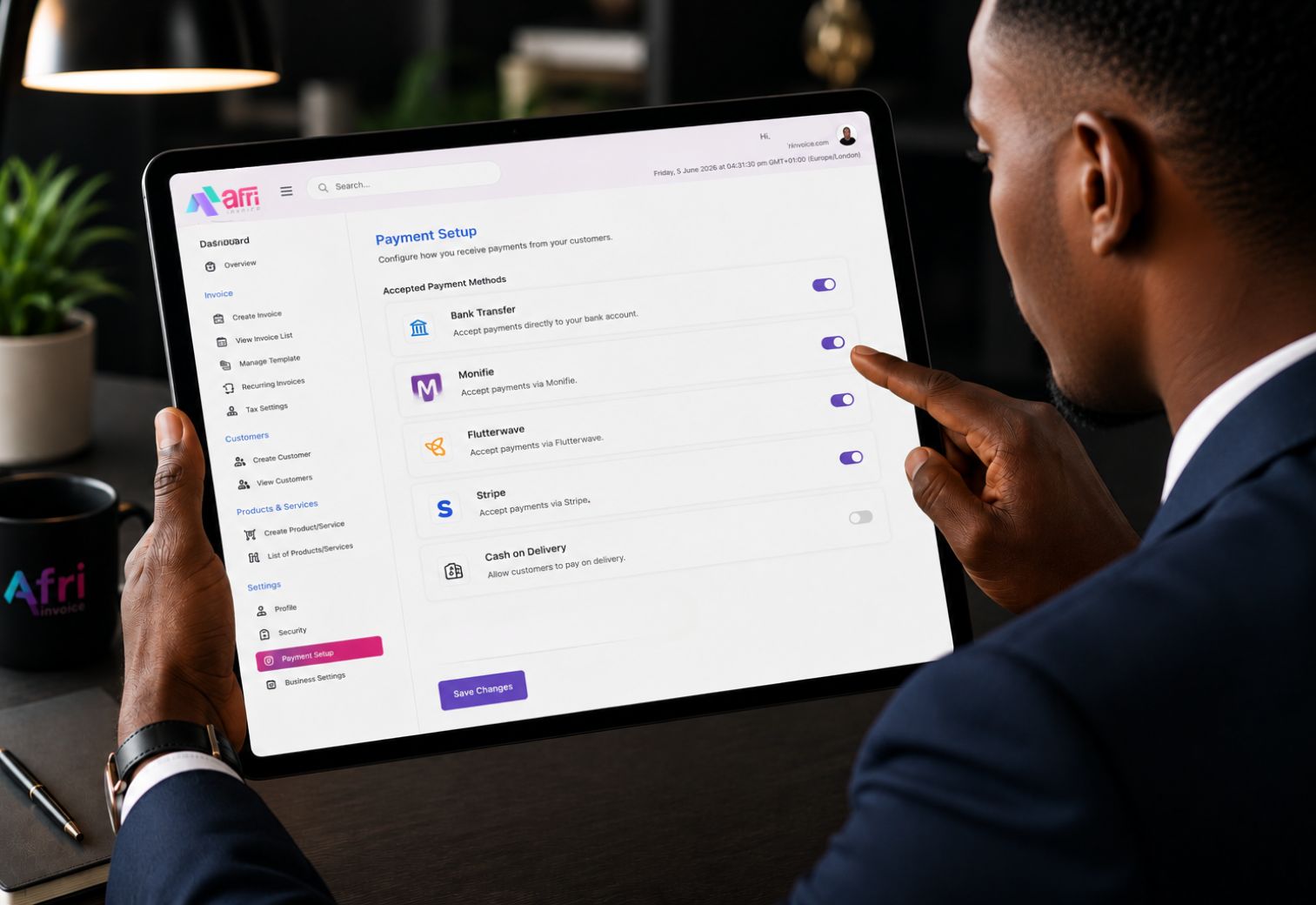
Payment Setup on Afri Invoice lets you connect your preferred bank account or payment gateway so customers can pay you instantly and securely. In just a few clicks, your invoices become fully payable, automated, and tracked end to end without any manual intervention.
Step 1 — Add Your Bank Account Details to Your Invoice
You can add your bank account details directly to your invoice, in the footer or the notes section, so your client can see exactly where to send payment when they receive the document. You control what appears and how it is worded on each invoice you create.
Frequently Asked Questions
Can I use different bank account details on different invoices?
Yes. Because you add your bank details directly to the invoice footer or notes field, you can specify any account on any invoice. Simply enter the relevant account details for each invoice you create.
What if I have multiple bank accounts?
You can include whichever account is appropriate for a given client or transaction. Add the account details in the footer or notes section of that specific invoice.
What payment gateways does Afri Invoice support?
Contact our support team at support@afrinvoice.com for current gateway availability and integration requirements specific to your business.
Step 2 — Configure Accepted Payment Methods
Nigerian businesses operate across every payment channel. Afri Invoice records them all.
Step 3 — Payment Gateway Connection
For businesses that want fully automated payment collection and reconciliation, Afri Invoice supports integration with Nigerian payment gateways. When a client pays through the gateway link on your invoice, the payment is recorded automatically against the correct invoice, no manual entry required.
Step 4 — Reconciliation
Every payment, whether by bank transfer, cash, cheque, or online gateway is matched to its invoice using the reference number displayed on the invoice. Your books stay accurate without a separate reconciliation process.
Frequently Asked Questions
Is my bank account information secure?
Yes. All financial information stored in Afri Invoice is encrypted in transit and at rest. Afri Invoice is ISO/IEC 27001:2022 certified and fully compliant with the Nigeria Data Protection Act 2023.
Can I show different bank accounts on different invoices?
Yes. If your business profile has multiple accounts configured, you can select which appears on each invoice at the point of creation.
What payment gateways does Afri Invoice support?
Contact our support team at support@afrinvoice.com for current gateway availability and integration requirements specific to your business.
No credit card required. Set up in under 3 minutes.